











Roblox Introduces New Age Verification for Safer Chats: Full Guide to Facial and ID Checks
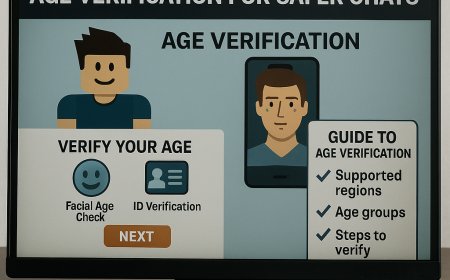
Roblox is rolling out a new age-based verification system to make chatting on the platform safer for young players. Starting in December, the company will require users to verify their age through facial age estimation or government-issued ID. This change will restrict chat to users within the same age groups and will gradually expand globally from early January. Roblox says the update aims to create a safer, more age-appropriate environment, especially after facing criticism and lawsuits related to child safety. The update also includes restrictions for users under nine and under 13, along with steps for completing age verification. This guide explains the new rules, supported regions, age groups, and a step-by-step process to verify your age Groups .Roblox is launching a new age verification system that limits chat access based on user age to improve child safety. Starting in December, players must complete facial age checks or verify with a government ID to chat with others in the same age group. Restrictions apply to users under nine and under 13, with rollout beginning in Australia, New Zealand, and the Netherlands and expanding worldwide in January. Learn how the system works, what age groups Roblox uses, and step-by-step instructions to complete age verification and correct mistakes if your age is estimated incorrectly.

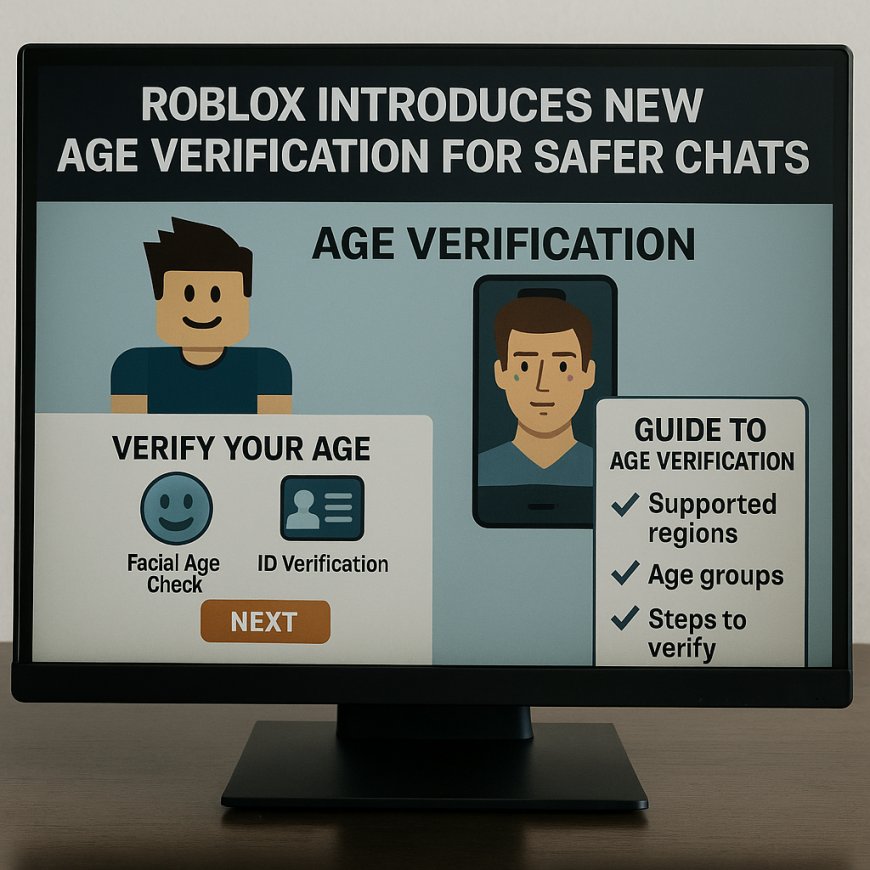
Roblox is introducing major safety changes to its chat system, and millions of players will soon need to verify their age to continue using all that features. This update comes after rising concerns about the safety of young users on the platform of games and follows criticism and legal action that highlighted the need for stronger protection measures. To make interactions safer and more agepersons appropriate, Roblox is implementeda new agesystem powered by facial age estimation and government ID verification.
Why Roblox Is Making These Changes
Over the past few years, Roblox has been under pressure to improve child safety on its platform. In August 2025, the state of Louisiana even filed a law suit claiming the company wasnot doing enough to protect minorrs from inappropriate interactions with adults. In response, Roblox announced a new verification system that will help ensure users only chat with people in their own age group.
Matt Kaufman, Roblox’s Chief Safety Officer, explained that using facial age checks accessing chat features would help build a safer, more appropriate environment for all players. He also encouraged other gaming platforms to adopt same standards.
When the New Age Verification Starts
Roblox will began rolling out the age verification feature in the first week of December. Initially it will be enforced only in select regions
Australia
New Zealand
The Netherlands
Players in other countries will start receiving the same update starting in early January.
How Roblox Will Group Players by Age
Once players complete the age verification process, Roblox will place them into one of several age groups:
Under 9
9 to 12
13 to 15
16 to 17
18 to 20
21 and above
younger players won’t be able to chat with much older users, reducing the risk of unsafe interactions.
Special Rules for Younger Users
Players under 9: Chat inside experiences will be turned off unless a parent gives explicit permission after completing the age check.
Players under 13: Chat outside experiences will remain restricted even after verification.
Roblox also notes that if the system determines a user is under 13 through facial age estimation, certain personal information—like email and phone number—will automatically be removed for safety reasons.
How to Complete the Age Verification (Facial Age Check)
Roblox has made the process simple and fast. Here’s what you need to do:
1. Open the Roblox app and look for the verification prompt.
2. Give the app permission to use your device’s camera.
3. Follow the on-screen instructions.
4. You will be asked to center your face on the screen and turn it slowly to the left and right.
The system will then estimate your age based on facial analysis.
How to Verify Your Age with a Government ID
If you prefer not to use facial age estimation, or want to correct an incorrect age estimate, you can verify your age using an official ID. Acceptable documents include:
Driver’s license
Passport
Residence card
Any government-issued ID with a photo
Steps to Complete ID Verification
1. Log in to your Roblox account.
2. Go to Settings.
3. Select Account Info.
4. Add your birthdate and click Verify My Age.
5. A QR code will appearsand scan it with your mobile device.
6. Follow the instructions to take a clear selfie and photo of your ID.
The system will match your face with picture on your ID.
What If Your Age Is Estimated Wrongly?
If Roblox incorrectly estimates your age as under 13, donot worry. You will have 48 hours to verify your age through ID verification to correct the mistake.
What's Your Reaction?
 Like
0
Like
0
 Dislike
0
Dislike
0
 Love
0
Love
0
 Funny
0
Funny
0
 Angry
0
Angry
0
 Sad
0
Sad
0
 Wow
0
Wow
0